

Creating Cluster Feature
Context
The FIFA logistics platform was built to handle transportation planning across multiple global events. As the platform scaled, operations teams found themselves managing location data from several events simultaneously — all visible on the same map, with no way to separate or filter them by context.
Client Requirement
The request came directly from the operations team — not as a formal spec, but as real frustration surfaced in planning sessions.



Debra Flores
5/12, 9:15 AM
“Users are finding it difficult to navigate the map too many locations are overlapping and it’s becoming hard to manage.”

Michael Brown
15/12, 12:06 PM
“The map is becoming too cluttered without clustering, making it difficult to identify and manage locations efficiently.”
Problem
In the early stages of the platform, clustering wasn't considered a priority. But as data volume grew, planners found themselves staring at a map full of points with no way to identify which belonged to which event. Finding a specific location in that noise meant scrolling, guessing, and losing time — on a platform where time directly affects event-day execution.
1
Users couldn't isolate map points for the event they were currently working on
2
No defined boundaries made it impossible to identify event areas at a glance
3
All location data was treated equally — no hierarchy, no grouping, no context
4
When zoomed out, individual points became indistinguishable from each other
Research Methodology
Before opening Figma, I needed to understand how planners and managers actually interacted with location data — not how they described it in meetings, but how they behaved under pressure during live planning cycles.


User Personas & Focus Groups
Built two personas from research — a Cluster Manager focused on control and configuration, and a Category Manager focused on day-to-day visibility.
Persona 1 - Manager
Hide

Persona 2 - Planner
Show
User Journey Mapping
Mapped the planning experience before the feature existed — to identify where the current flow was breaking and costing planners time.
User Journey - Manager
Show
User Journey - Planner
Show
problem framing
HOW MIGHT WE
Help operations teams navigate hundreds of location points without losing sight of which assets belong to which event — at any zoom level?
User Stories
A user story is a concise description of a specific feature or functionality written from the perspective of an end user. It captures what a user wants to do and why they want to do it.
Standard Format
As a [user type], I want to [action/capability], so that [benefit/outcome].
Purpose
Converts user journey map insights into actionable features — translating the frustrations planners and cluster managers experience on the FIFA GIS platform into clearly defined design and development requirements.
User Stories
Show
User Flows
User flows for both personas map the step-by-step paths needed to complete key tasks inside the FIFA GIS platform — from navigating event location pins on the map to keeping cluster data current across planning cycles.
User Flows
Show
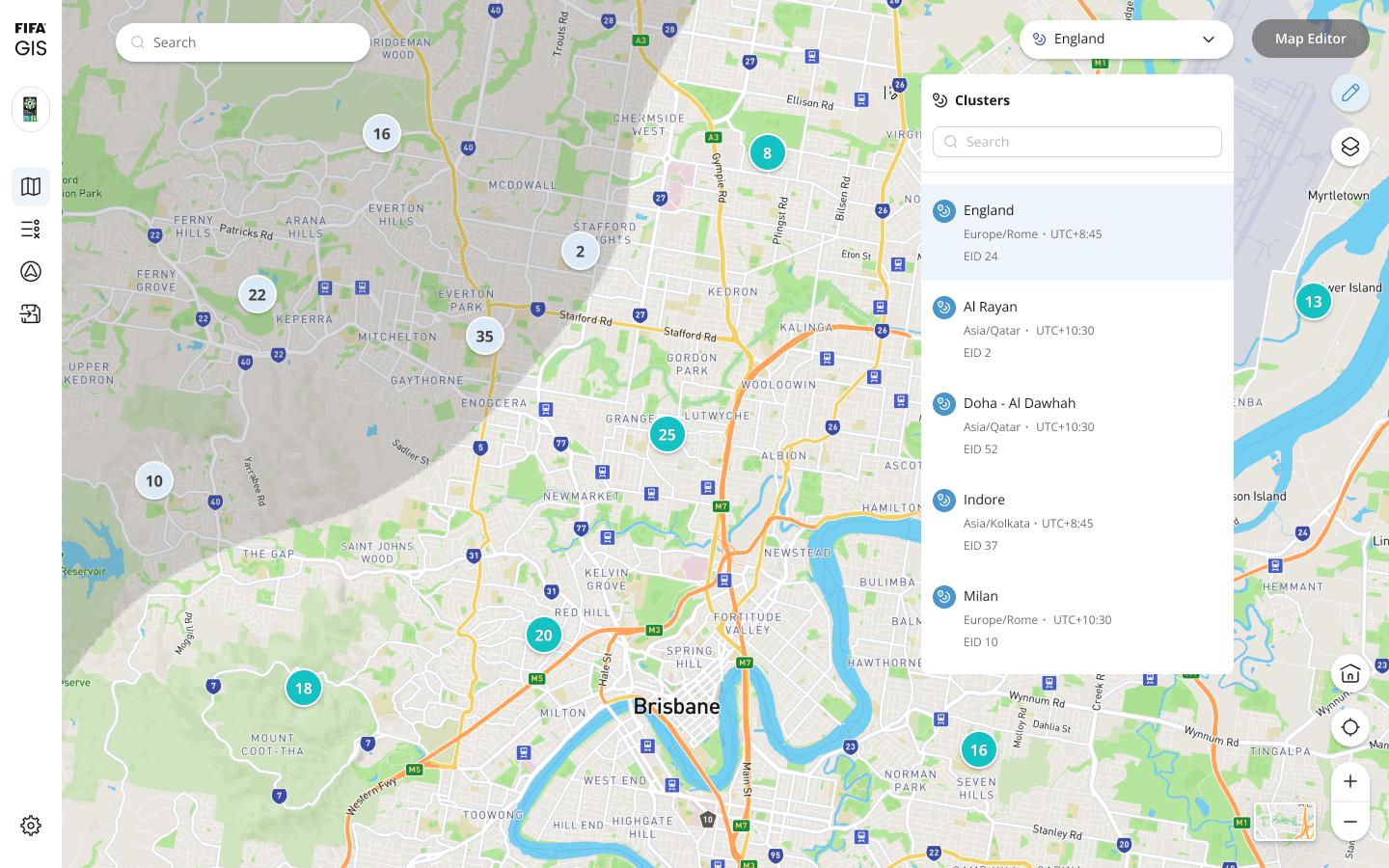
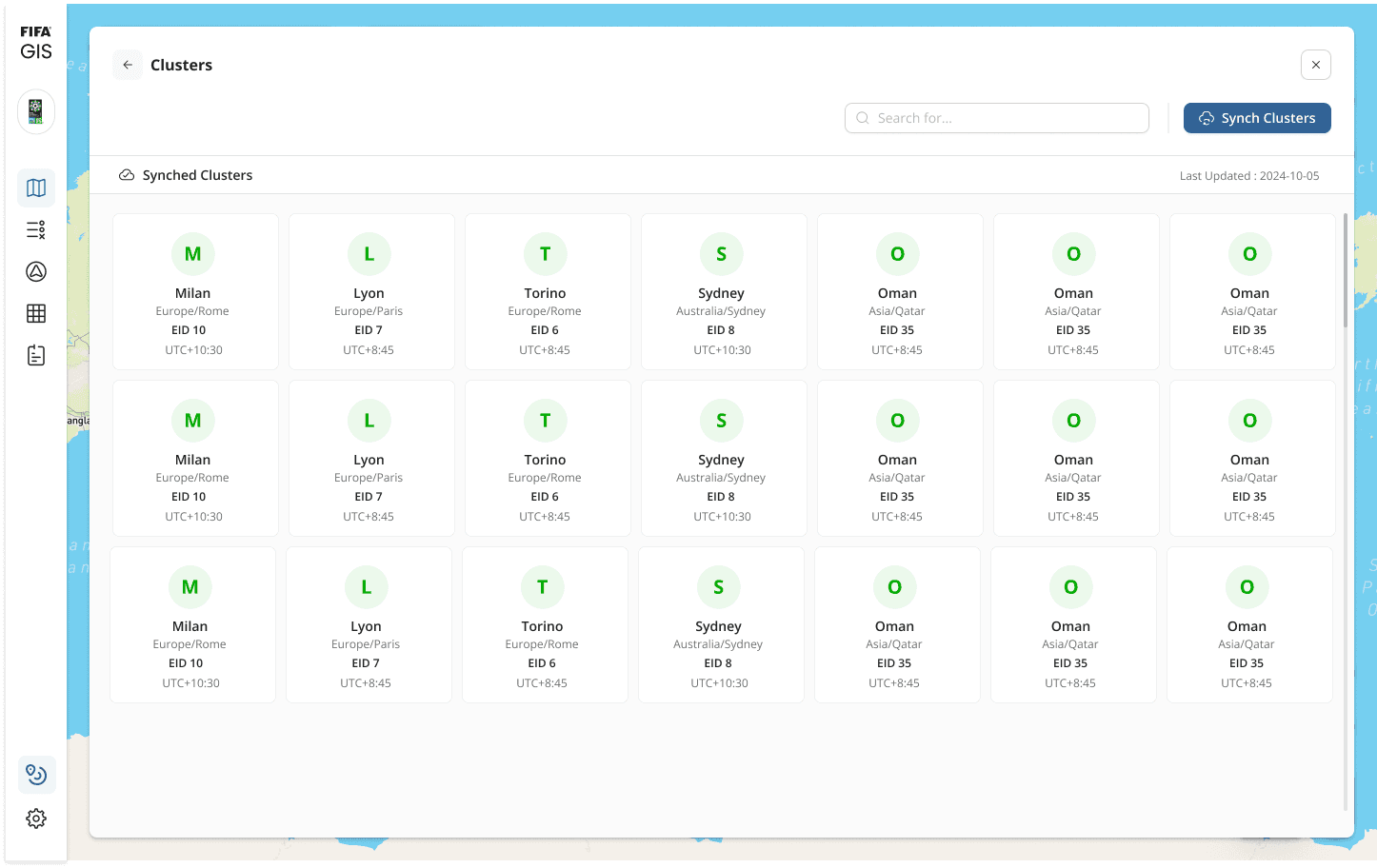
Before / After
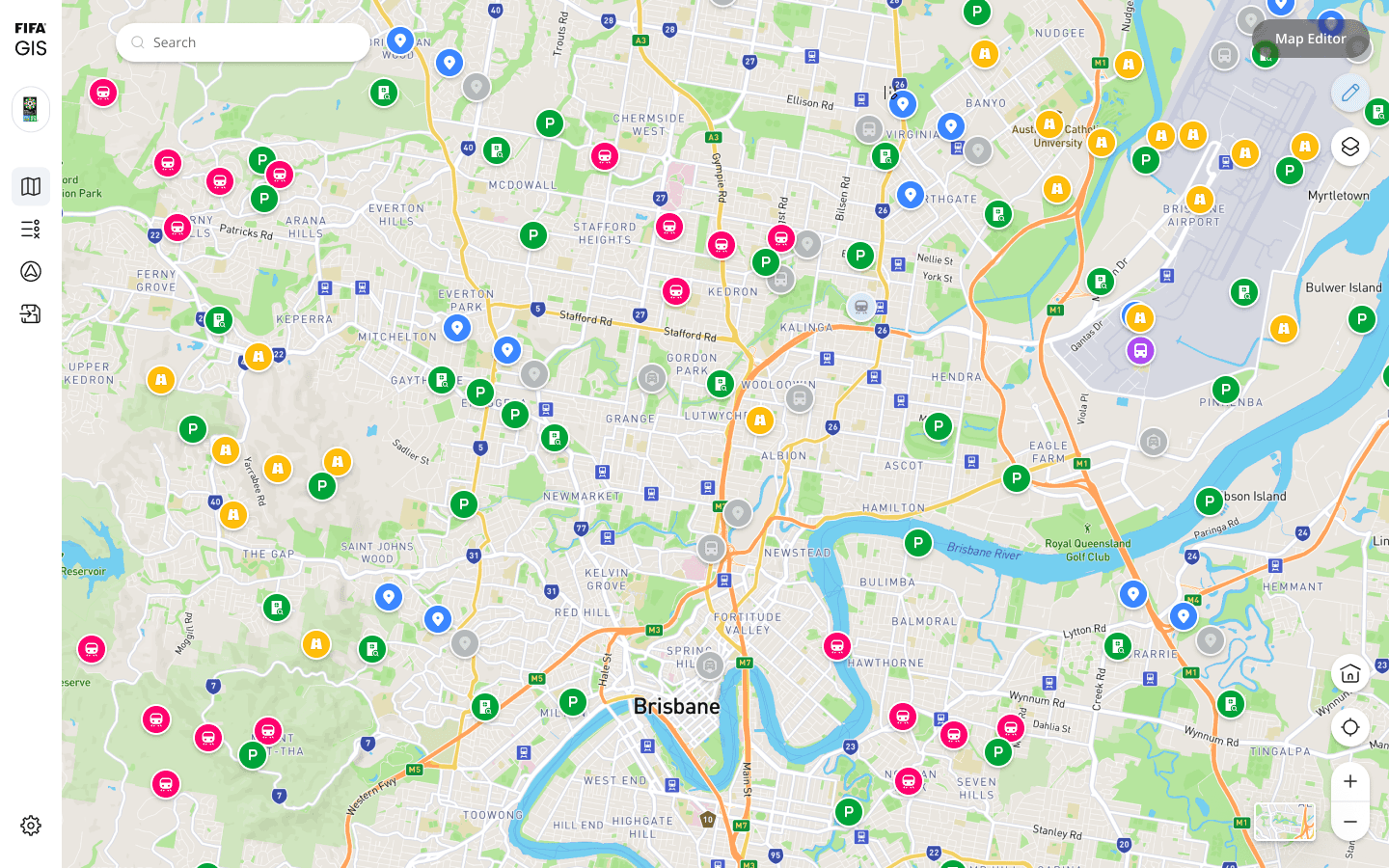
Before
No grouping or context
No zone boundaries
All points interactive
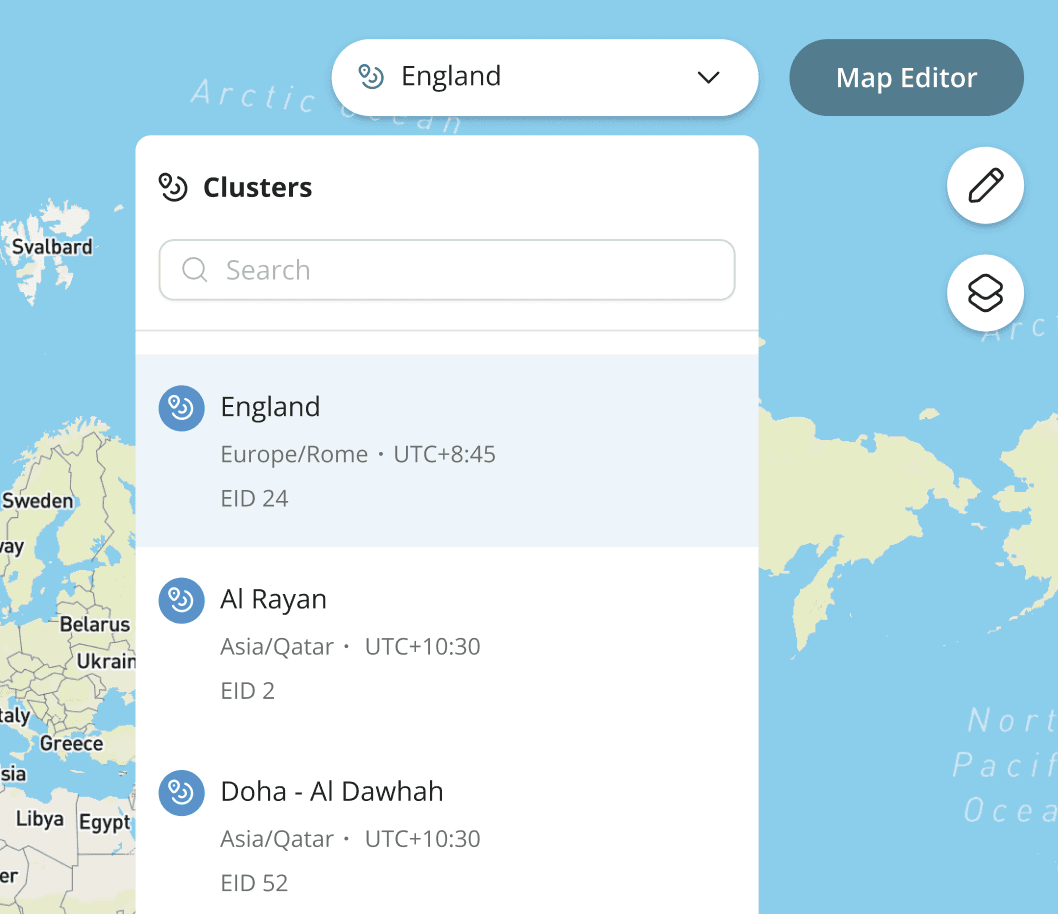
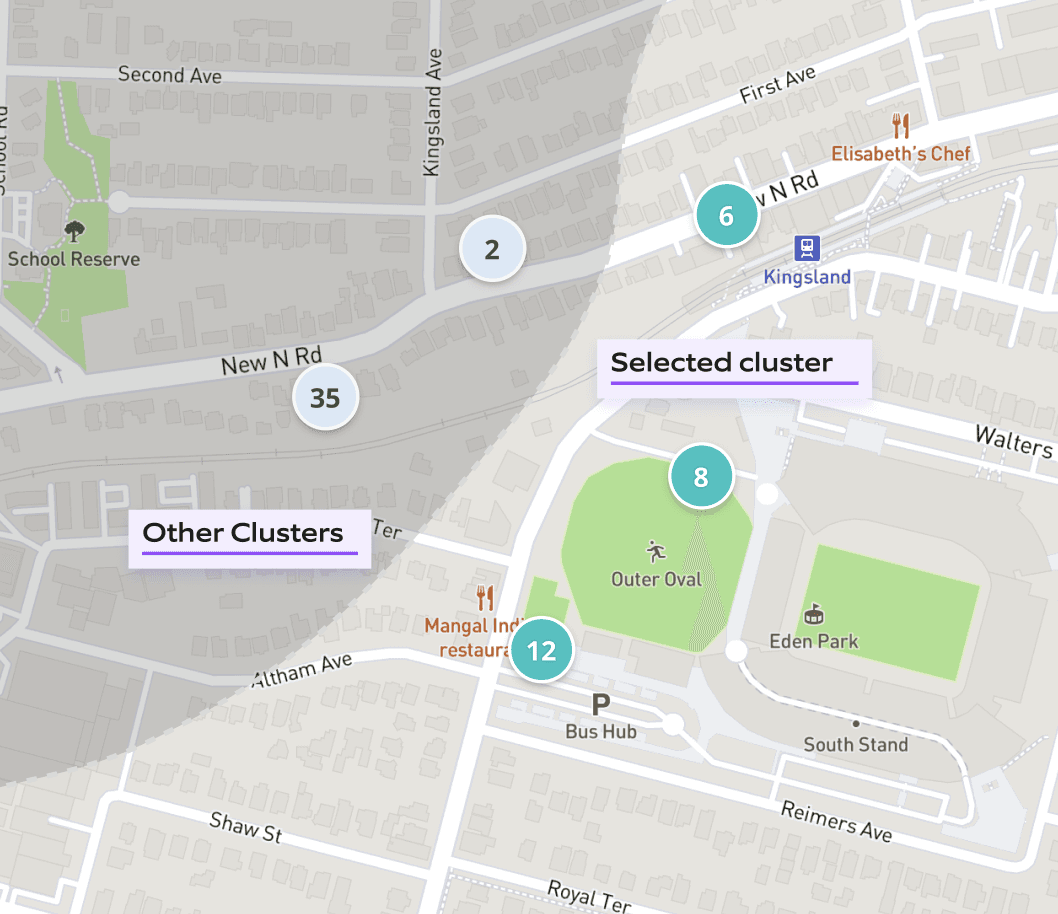
After
Active cluster highlighted
Zone boundaries visible
Other points muted/passive
Impact
The map finally made sense.
Measured during UAT by comparing the same planning tasks before and after the cluster feature shipped.
30%
Faster location lookup
Planners found specific map points significantly faster once they could filter by active location.
82%
Wrong-event interactions
Accidental clicks on other-event pins dropped from ~6.2 to ~1.1 per session.
P
"I can actually tell what belongs to what now. Before this I was constantly second-guessing myself."
— Transportation planner, post-UAT feedback
Creating Custom Road Feature
Context
For a FIFA event, temporary access roads appear overnight. Parking zones are built for a single day. Emergency routes get rerouted around stadium crowds. None of that exists in any standard map dataset — and the FIFA Logistics platform had no way to account for it.
Operations teams were planning transportation on a map that didn't reflect reality. The gap between the digital map and the physical ground was a risk — and on event day, risk means delays.
Problem
During event setup, operations teams needed to account for temporary roads and parking zones that don't exist on standard maps. Without a way to create and connect these custom routes inside the platform, planners were forced to work around the system — leading to coordination gaps, slower planning cycles, and increased risk of errors on event day.
Users
Transportation planners and operations teams who manage and plan transportation for players and executives before the event.
My process
Four stages from listening to shipping.
Discovery — listening before drawing
Ran structured sessions with transportation planners to understand how they currently handled custom routing. Three recurring pain points surfaced: no way to define temporary roads, no method to link parking zones, and no visual confirmation of traffic flow direction. These became the three design requirements the feature had to satisfy.
Exploration — two competing models
Sketched two fundamentally different interaction models: a freeform drawing mode where users drag to draw roads freely, and a point-to-point connection model where users click to place nodes and connect them. Both went in front of stakeholders and users. The point-to-point model won — planners found it more predictable and easier to correct mistakes.
High fidelity — building within the system
Designed production-ready screens within the existing design system to ensure the custom road feature felt native to the platform. Worked closely with developers during handoff on the edge cases that matter most — what happens when two roads cross, how undo behaves, how errors surface to the user without breaking their flow.
Usability testing — iterating on what I saw
Ran task-based usability tests on the UAT build with the same operations staff I'd spoken to at the start. Watched where they hesitated, where they made errors, where they recovered confidently. The intersection popup design and the road parameter panel layout both changed based on what I observed — not what I assumed.
Solution details
Created a map-based tool that lets operations teams draw, manage, and connect roads and parking spots right inside the system. It makes event planning a lot easier. People can handle intersections, add details about each road, and link parking locations—all in one place.
Preview
Design Considerations

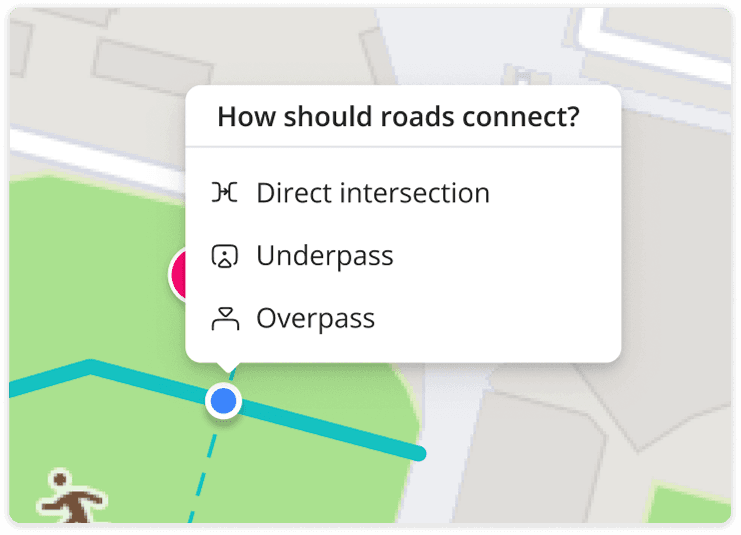
How to handle the intersection of two roads?
The issue was resolved by introducing a popup when two roads intersect during creation, allowing users to choose the type of intersection they want to define.
Road intersections

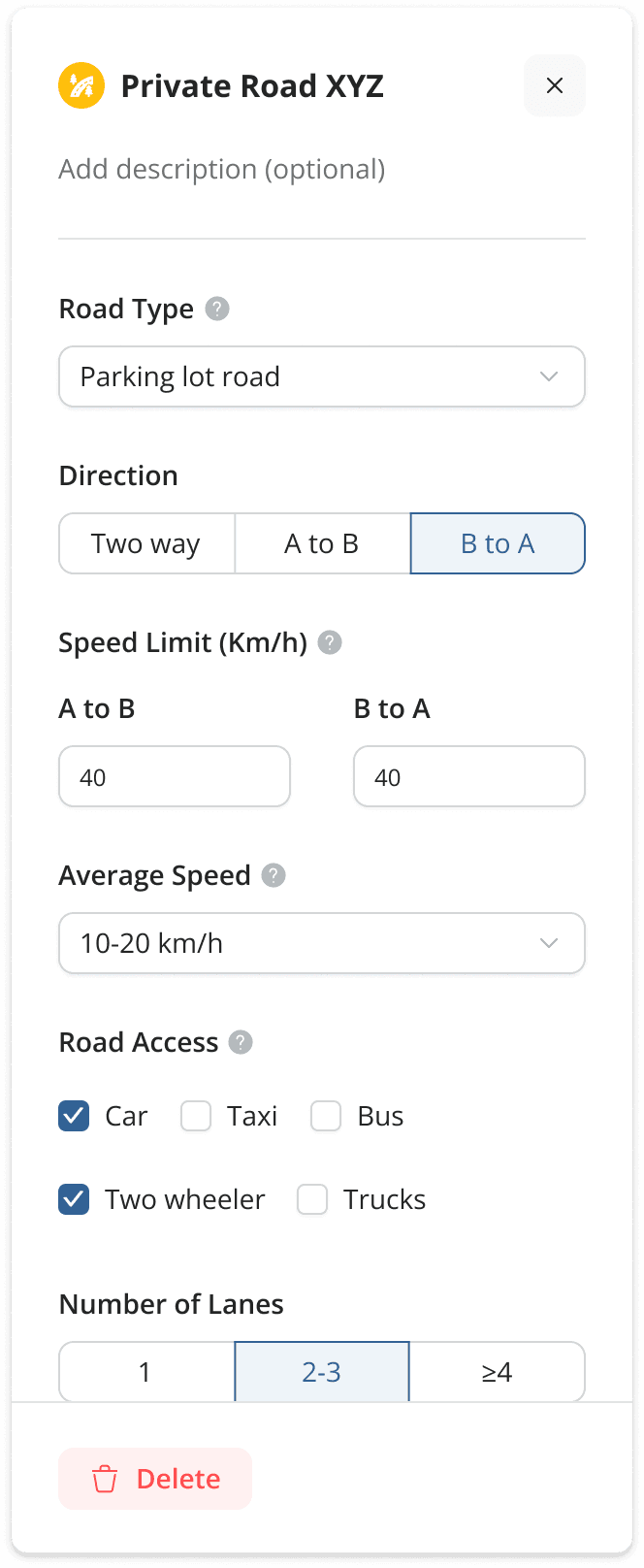
How can road parameters be set easily in a user-friendly way?
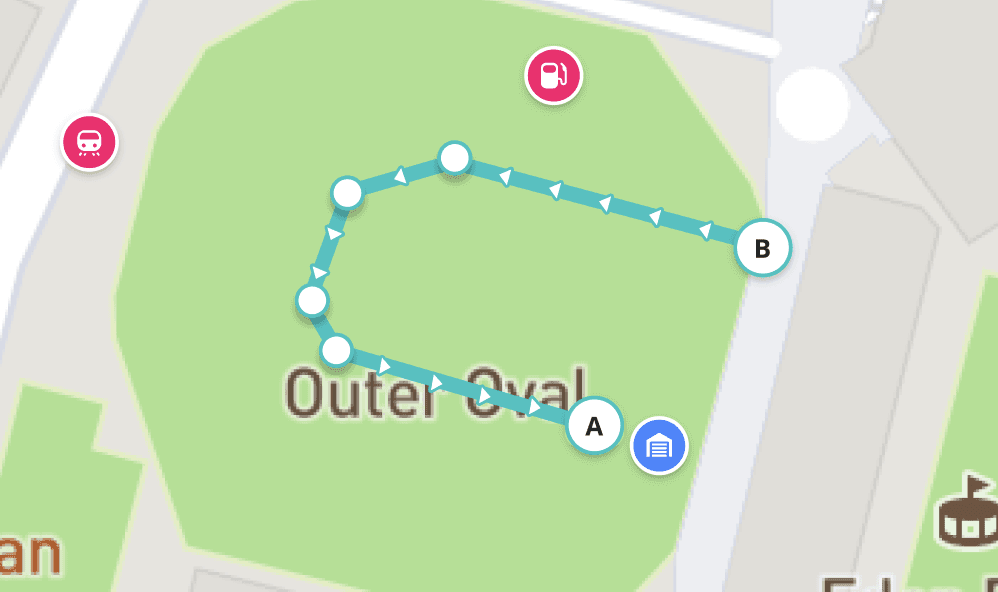
Road parameters like direction are configured from the left panel, with traffic flow shown as arrows on the map, along with settings like speed—ensuring a simple and user-friendly experience.
Road parameters form
Created road in the map
Impact
15%
Time Reduction
Every transportation planning cycle is now completed 15% faster, indicating improved efficiency and a smoother workflow for operations teams.
25%
Improvement
Enhanced planning accuracy by 25% by minimizing manual workarounds and improving route clarity.
More to this project than what's shown here
NDA limits what I can share publicly — but there's a lot more work behind this. I've designed and shipped multiple complex features across this platform.
Mobile App for Drivers
Rule manager
Map Editor
Rute simulator
Reach out and I'll walk you through it.
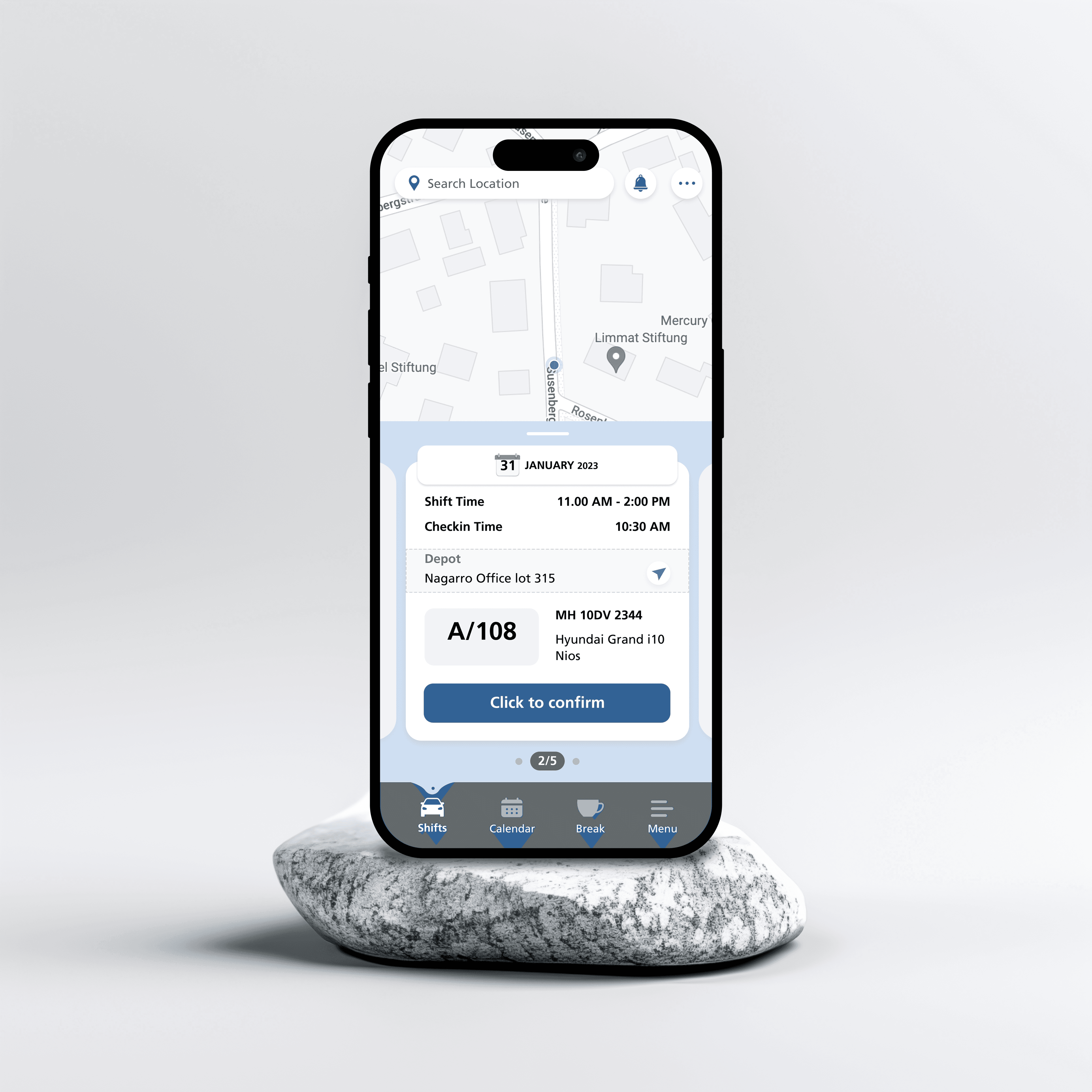
FIFA Driver App on Playstore
More projects
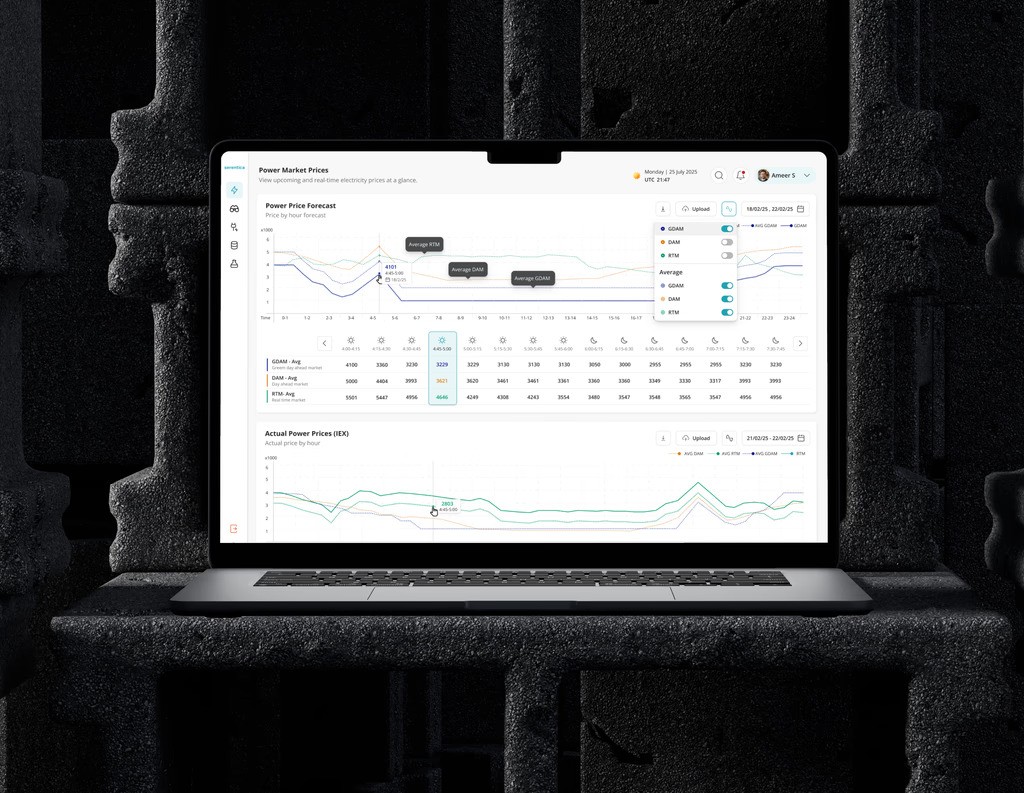
Energy
B2B
2025
Serentica Renewables
Real-time power market analytics and revenue optimization platform for India's renewable energy operators.
View case study
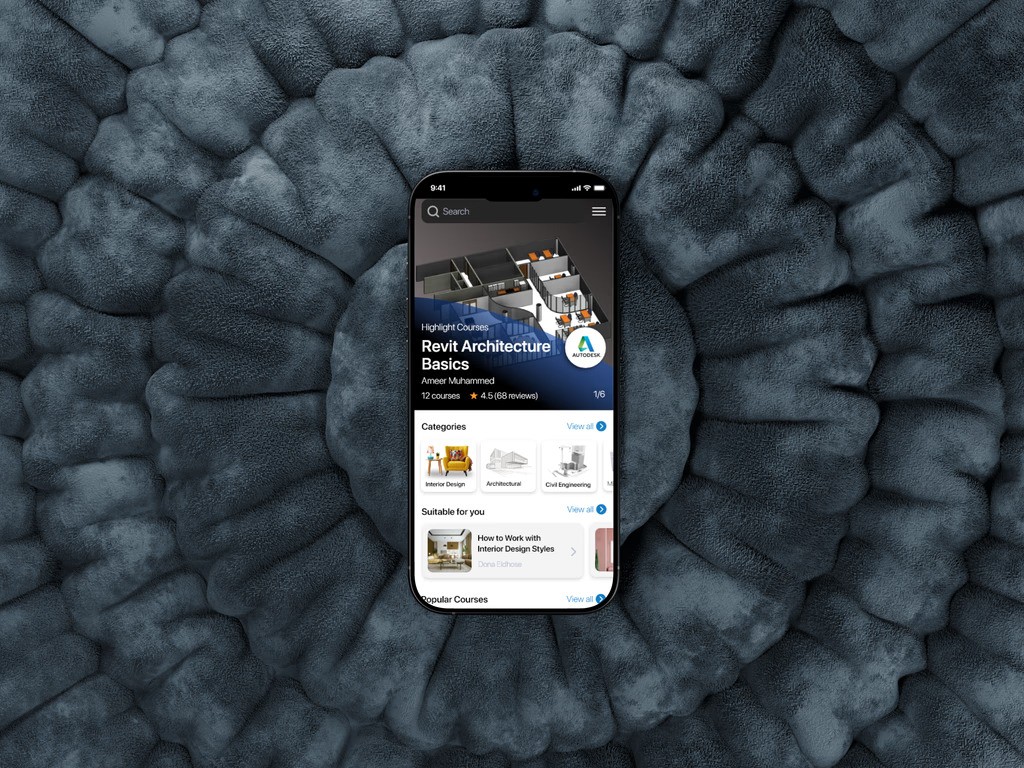
Ed-Tech
B2C
2021
Smart Class
Mobile learning platform for civil engineering and architecture students — video lessons, quizzes, and progress tracking for complex material on the go.
View case study
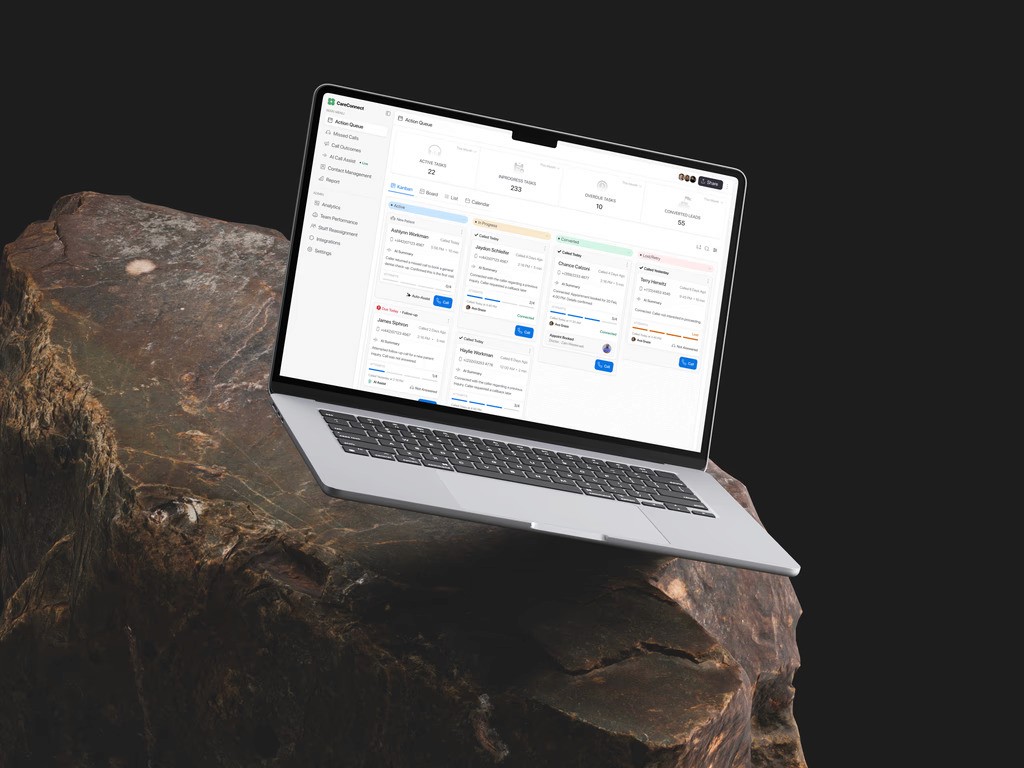
Healthcare
Web App
2026
Care Connect
Call tracking platform for healthcare front desk teams — inbound queue management, instant patient context, and zero missed follow-ups.
View case study